
The Scratch project uses Japanese text or audio. Use this English guide to get started; the project itself has not been translated.
Connect sentences with soshite

The project supports the full Japanese primary-school kanji set.
Have fun adding your own sentences.
Let’s play!
How to play and more details
Chicoratch is the name of the Scratch projects created by Chicodori.
Some screenshots show an earlier version.
Practise the Japanese connecting words that link sentences.
Click or tap a choice, or press 1, 2 or 3 to answer.
Please allow a little time for the project to load.
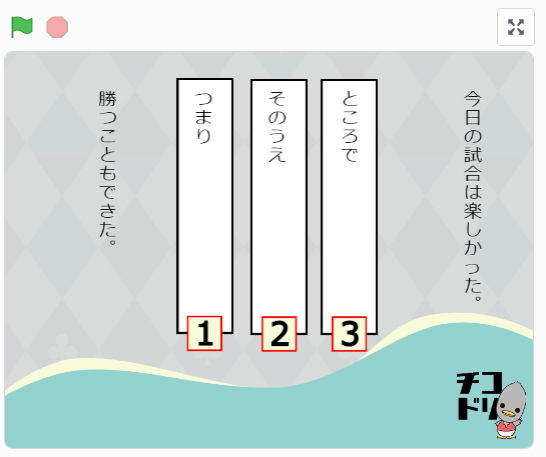
You can change the question text or add more questions.
this guidefor ideas to help you remix the project.
Remixes welcome!
Feel free to remix this project.
Open Remix or See inside to begin editing.
A Scratch account lets you save a remix on Scratch.
Without an account, you can still open See inside to try editing the project.
You can save an edited project to your computer.
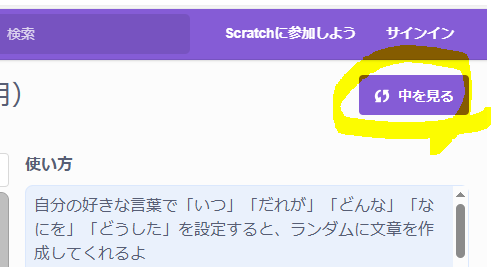
For more about remixing,Scratch learning guide (Japanese)has a useful article you can refer to.
The Scratch editor opens when you choose Remix or See inside.
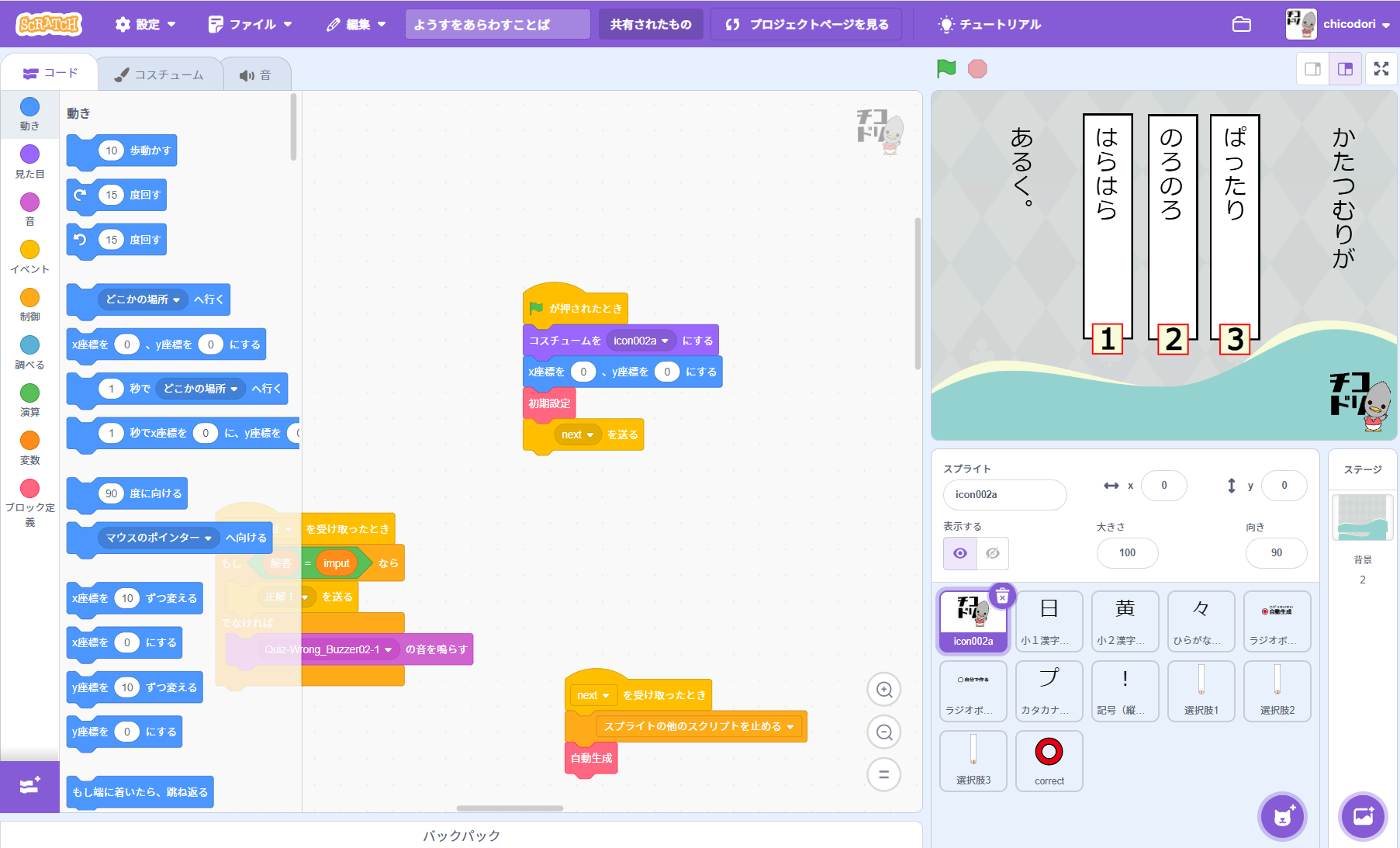
The screenshot is from another Scratch project. The layout is the same apart from the text size.
How to prepare questions for a remix
The example screenshot shows how the question text is displayed.
The screenshot is from another Scratch project. The layout is the same apart from the text size.
Prepare the text using the format below.
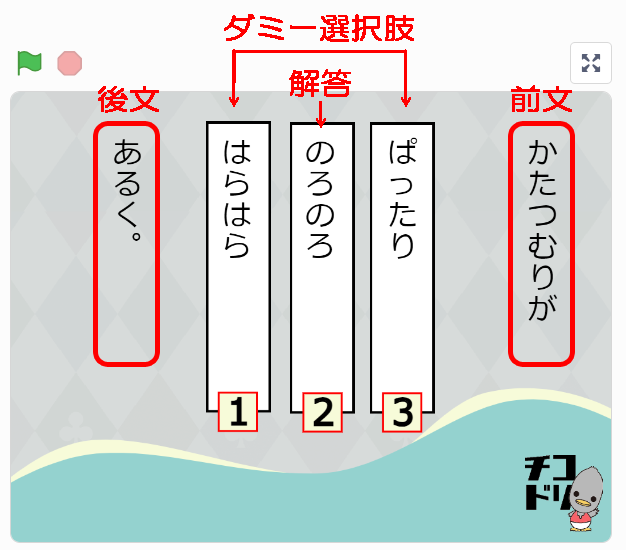

Write the fieldsin this order: opening text / correct answer / closing text / distractor / distractor / distractor …using the format shown.
Separate each field with a half-width slash (/).
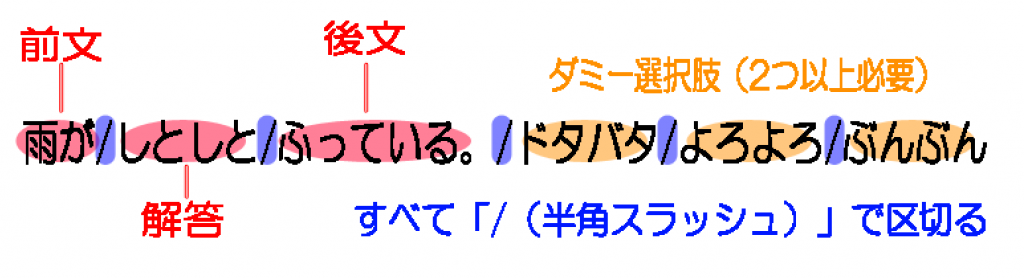
Include at least two incorrect choices.
Do not add a slash at the end of the line.
The project supports kanji taught in Japanese primary school. Other characters may not display correctly.
The screenshot is from another Scratch project, but the question-editing format is the same.
Examples (Japanese question data):
明日は雨がふるそうです。/だから/かさを持っていきましょう。/しかし/さらに/まず
かれは毎日勉強しています。/したがって/成績が上がっています。/だけど/または/ところで
風が強くなってきました。/すると/波も高くなりました。/それでも/それとも/まず
時間がありません。/だから/急いでください。/けれども/もしくは/ところで
勉強をたくさんした。/だから/テストでいい点を取れました。/それなのに/かつ/さて
あの女の子は毎朝走っています。/したがって/体力がついています。/でも/あるいは/まず
火をつけました。/すると/すぐに暖かくなりました。/しかし/あるいは/さて
この本は人気があります。/だから/早く借りたほうがいいです。/だけど/もしくは/まず
台風が近づいています。/よって/学校はお休みです。/しかし/それとも/さて
Use a text editor to create a file in this format, then save it with a name you can recognise.
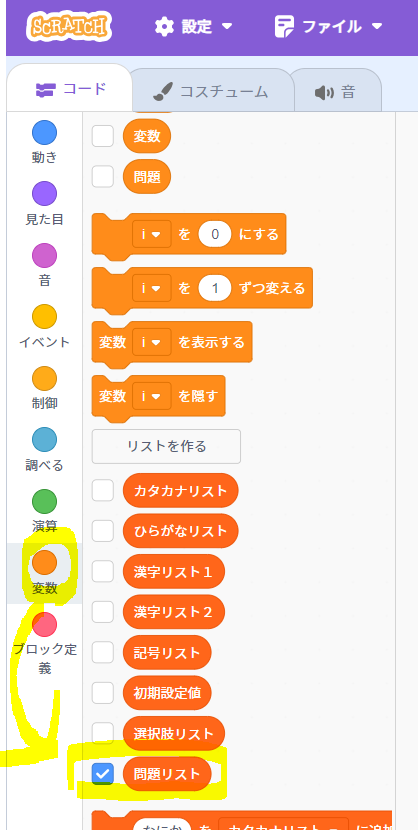
1. Show the question list
Open 変数 (Variables) on the left of the Scratch editor and
tick the question-list checkbox.
2. Edit the question list
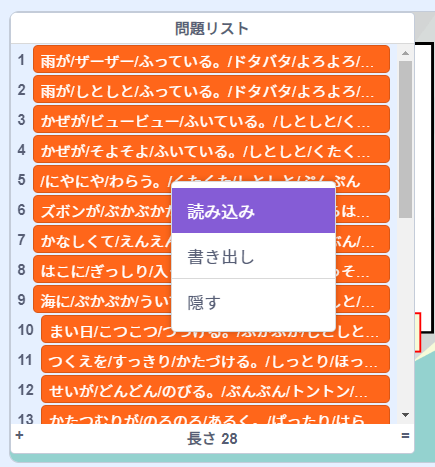
The question list appears on the stage on the right.
Right-click the question list to open its menu.
Choose 読み込み (Import) and select your saved text file.
The screenshot is from another Scratch project.
3. Hide the question list
Untick the question-list checkbox under Variables to hide the list from the stage.