
The Scratch project uses Japanese text or audio. Use this English guide to get started; the project itself has not been translated.
Kanji Touch: Beginner 2
Practise the beginner kanji set with this Scratch game.
Let’s play!
How to play and more details
Chicoratch is the name of the Scratch projects created by Chicodori.
Some screenshots show an earlier version.
→ Kanji Touch: Beginner 1 is available too.
This set covers the 160 kanji introduced in the second year of Japanese primary school.
That is twice as many new characters as in the first set.
We will keep exploring ways to make learning kanji more enjoyable.
How to play
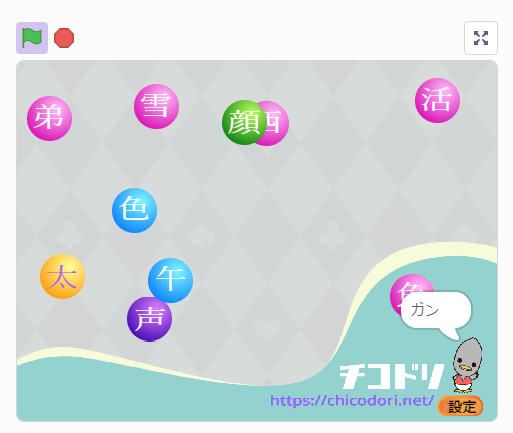
Press 開始 (Start). Ten to twenty kanji move around the screen. Read the prompt at the bottom and tap the matching kanji.
You can switch between on-yomi and kun-yomi readings.
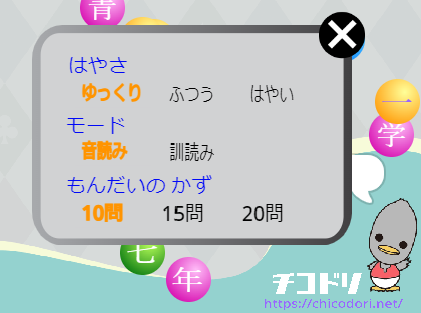
Press Space or select 設定 (Settings) below the Chicodori bird to change
the speed, the reading type and the number of questions.
Remixes welcome!
Feel free to remix this project.
Try adding questions, a time limit or your own ideas.

The earlier version,Kanji Touch: Beginner 1was refactored so the same program can use different sets of kanji and readings. This also made the code simpler.
Feel free to remix the project for kanji or other topics.