
The Scratch project uses Japanese text or audio. Use this English guide to get started; the project itself has not been translated.
Describing words

The text uses only the first beginner set of kanji.
Have fun adding your own sentences.
Let’s play!
How to play and more details
Chicoratch is the name of the Scratch projects created by Chicodori.
Some screenshots show an earlier version.
Practise Japanese words that describe how something looks, moves or happens.
Click or tap a choice, or press 1, 2 or 3 to answer.
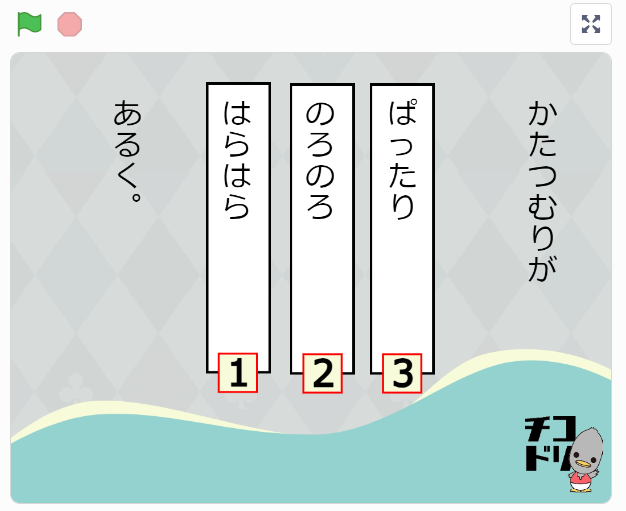
You can change the question text or add more questions.
this guidefor ideas to help you remix the project.
Remixes welcome!
You are welcome to remix this project and make it your own.
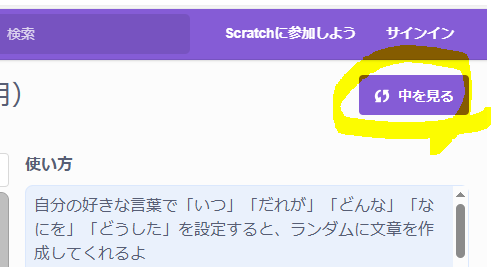
Open Remix or See inside to begin editing.
A Scratch account lets you save a remix on Scratch.
Without an account, you can still open See inside to try editing the project.
You can save an edited project to your computer.
For more about remixing,Scratch learning guide (Japanese)has a useful article you can refer to.
The Scratch editor opens when you choose Remix or See inside.
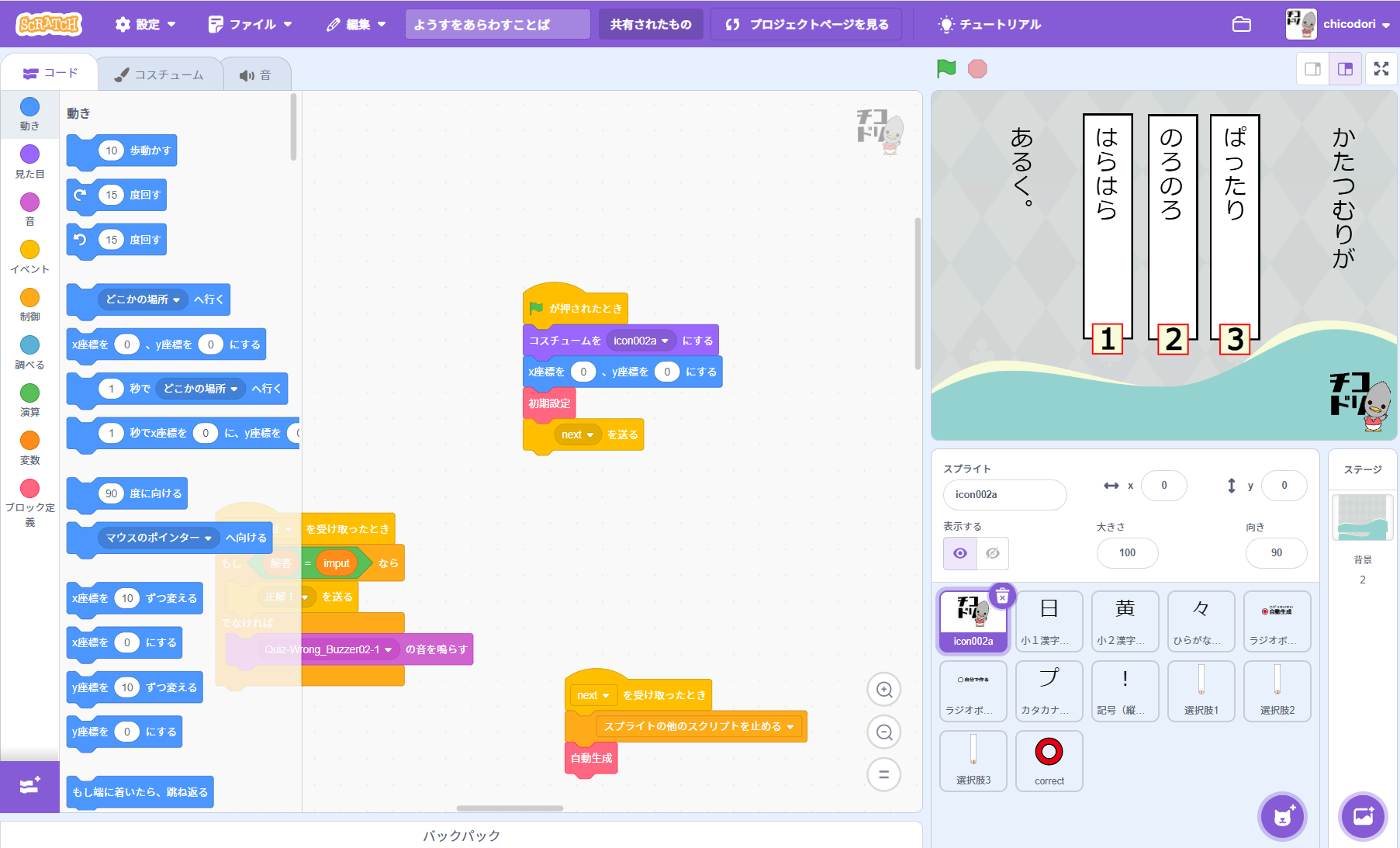
How to prepare questions for a remix
The example screenshot shows how the question text is displayed.
Prepare the text using the format below.
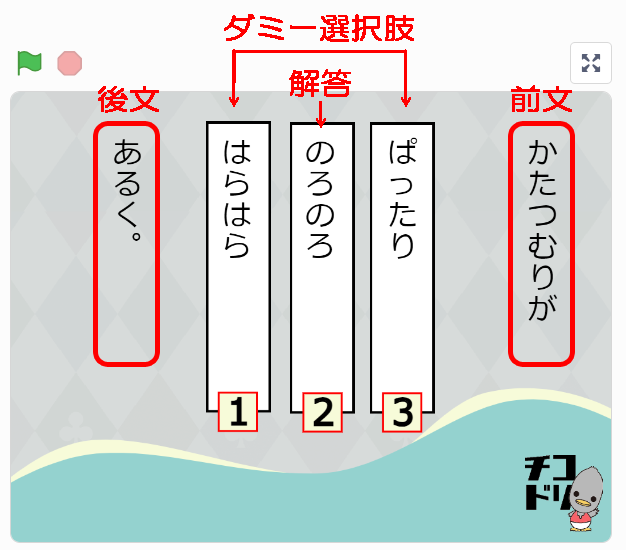

Write the fieldsin this order: opening text / correct answer / closing text / distractor / distractor / distractor …using the format shown.
Separate each field with a half-width slash (/).
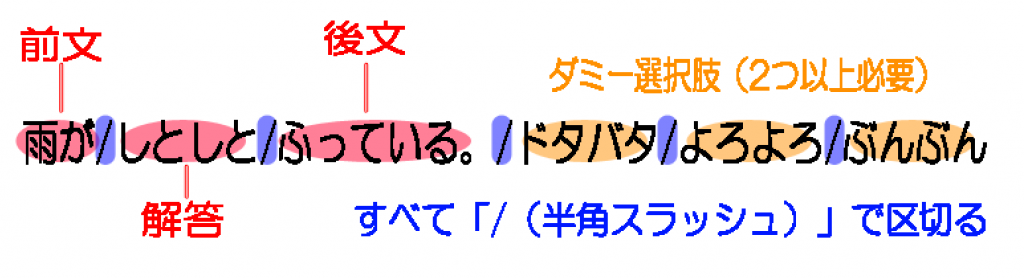
Include at least two incorrect choices.
Do not add a slash at the end of the line.
Examples (Japanese question data):
はこに/ぎっしり/入っている。/ゆっくり/のっそり/ぱったりと
海に/ぷかぷか/ういている。/こつこつ/しとしと/ぱかぱか
まい日/こつこつ/つづける。/ぷかぷか/しとしと/ちらちら
つくえを/すっきり/かたづける。/しっとり/ほっそり/ぎっしり
せいが/どんどん/のびる。/ぶんぶん/トントン/きらきら
かたつむりが/のろのろ/あるく。/ぱったり/はらはら/がんがん
ごはんを/しっかり/たべる。/どっぷり/ぱったり/しっとり
Use a text editor to create a file in this format, then save it with a name you can recognise.
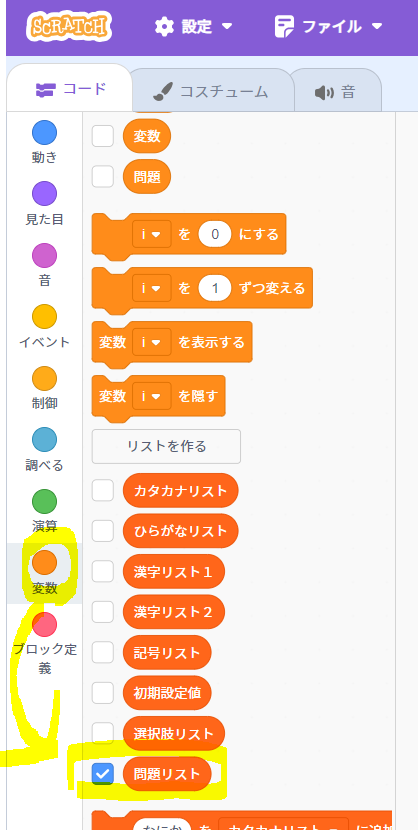
1. Show the question list
Open 変数 (Variables) on the left of the Scratch editor and
tick the question-list checkbox.
2. Edit the question list
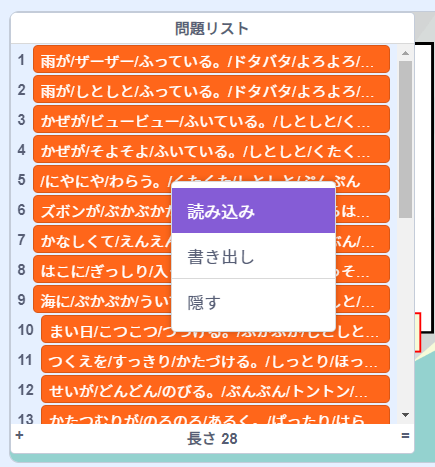
The question list appears on the stage on the right.
Right-click the question list to open its menu.
Choose 読み込み (Import) and select your saved text file.
3. Hide the question list
Untick the question-list checkbox under Variables to hide the list from the stage.